Why I shipped VORA before writing a single line of backend code
Why we shipped VORA to production before adding a backend — the product philosophy, the 'should I add a server?' decision framework, and a 3-month retrospective.
More in Build Notes
- Why Real-Time Meeting Q&A Isn't Shippable Yet (and the Human-in-the-Loop System That Is)
- Mobile-First Playground: Making an Astrology Grid Actually Work on a Phone (And Go Viral While Doing It)
- How I Fixed AI Over-correction
- Why "Just Proxy /blog" Fails Across Cloudflare Pages and Vercel (and What Works Instead)
- The i18n + SEO Cleanup Chronicles: Canonical Chaos, hreflang Therapy, and Other Adventures
🔧 The constraint that became a feature
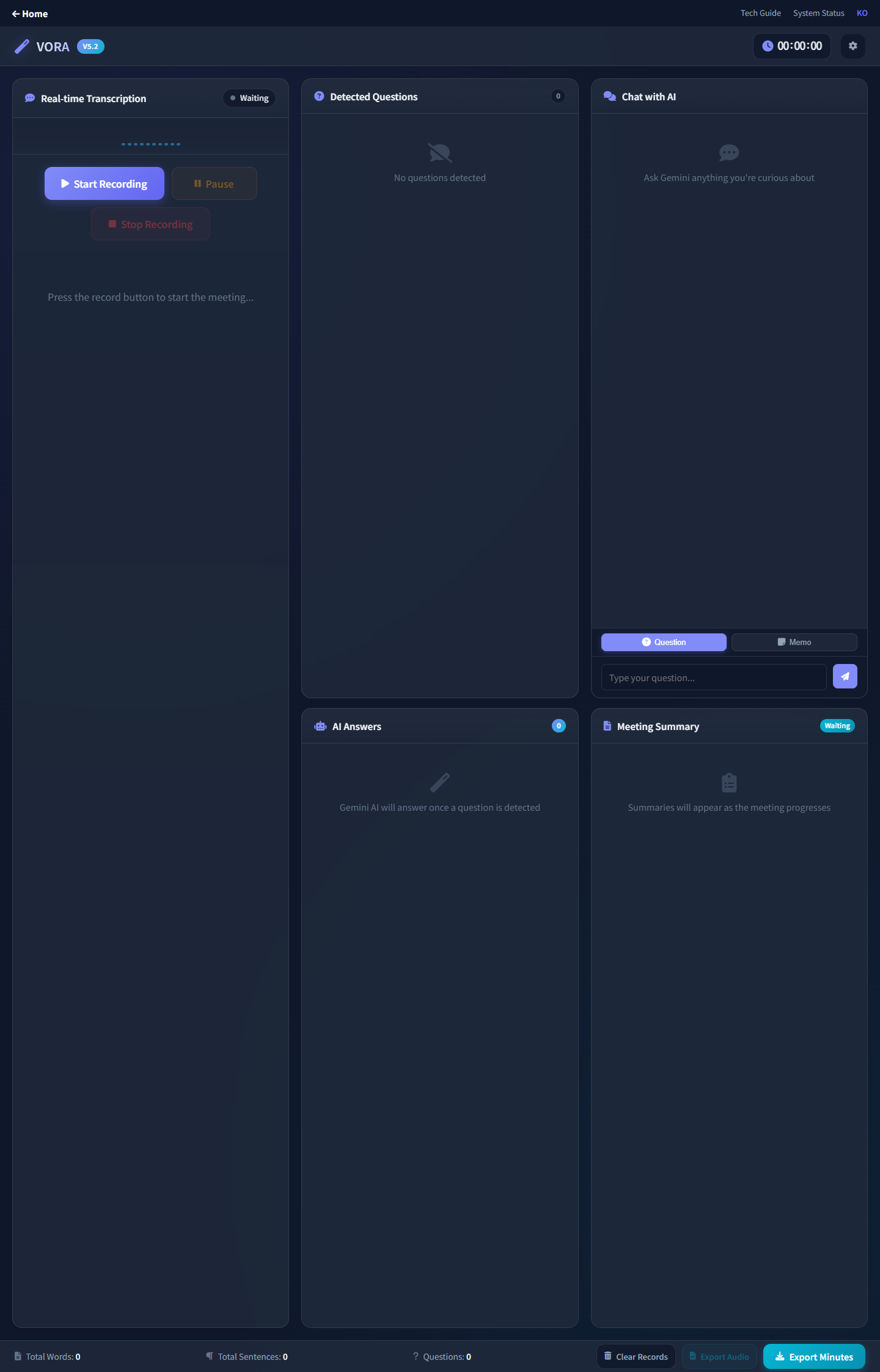
When I started building VORA, I had a simple rule: no backend. Not because I couldn't build one, but because I wanted to see how far browser APIs could take me.
This post is the philosophical and retrospective view. For the technical migration details (what I deleted, what broke, latency numbers), see the technical companion post.
The Web Speech API for transcription. The Gemini API called directly from the client. Local storage for persistence. No server, no database, no infrastructure to maintain.
🎯 Why this matters
Most meeting assistants require:
- Account creation
- Monthly subscriptions
- Sending your audio to someone else's servers
- Trusting a company with your meeting content
VORA requires none of that. Your audio never leaves your browser. There's nothing to sign up for. It just... works.
💡 How I actually made the decision
I didn't start with "no backend" as a philosophy. I started with a backend. A Python FastAPI server, Faster-Whisper for transcription, async threading, deployment configs — the whole thing. It lasted about 48 hours before I scrapped it.
The decision wasn't theoretical. It came from hitting a wall, repeatedly, and asking myself one question:
"What user value am I buying with this complexity?"
The honest answer was: slightly better transcription accuracy, at the cost of terrible latency, constant deployment failures, and a maintenance burden I couldn't sustain alone.
Here's the framework I used — and still use for every architecture decision on VORA:
┌─────────────────────────────────────────────────┐
│       THE "SHOULD I ADD A SERVER?" CHECKLIST     │
├─────────────────────────────────────────────────┤
│                                                  │
│  1. Does the user NEED this to happen            │
│     on someone else's machine?                   │
│     → Audio processing? Maybe.                   │
│     → Speech-to-text? Browser can do it.         │
│                                                  │
│  2. Does adding a server make the product        │
│     noticeably better for the user?              │
│     → Faster? No — it was slower.                │
│     → More reliable? No — it crashed more.       │
│                                                  │
│  3. Can I maintain this server alone,            │
│     at 2am, when it breaks during a demo?        │
│     → Absolutely not.                            │
│                                                  │
│  If you answered "no" to all three:              │
│  DELETE THE SERVER.                              │
└─────────────────────────────────────────────────┘
For the full technical story of what that 48-hour server saga looked like — the bugs, the benchmarks, and the 1,500 lines of code I deleted — read From Python Server to Pure Browser.
⚠️ The technical reality
Going fully client-side isn't all roses:
- Web Speech API is inconsistent across browsers — Chrome is great, Firefox is spotty, Safari is... Safari
- No persistent storage means if you clear your browser data, your transcripts are gone
- API keys in the client required careful thought about security boundaries
But every trade-off was worth it for the simplicity of the user experience.
🔍 Real-time context correction
The feature I'm most proud of is the real-time context correction. The Web Speech API gets things wrong constantly — especially with technical terms, names, and acronyms.
VORA sends chunks of transcript to Gemini with the prompt: "Correct this transcript for context. The meeting is about [topic]. Fix names, technical terms, and obvious misrecognitions."
The result is surprisingly good. Not perfect — but good enough that the final transcript is actually useful. (When the correction system itself went rogue and started rewriting normal speech into pharmaceutical terms, that was a different story. I wrote about fixing that in How I Fixed AI Over-correction.)
🚀 What "no backend" unlocked
Once I stopped maintaining a server, something unexpected happened: I shipped faster. Way faster.
In the two days I spent fighting server bugs, I fixed 8 issues and shipped 0 features. In the two days after deleting the server, I shipped:
- A complete FAQ page
- Bilingual support (Korean + English)
- The VORA brand identity
- AdSense integration
- A landing page redesign
That's not a coincidence. Every hour you spend on infrastructure is an hour you're not spending on the thing your users actually see.
Server era (Feb 3–5):       Browser era (Feb 5–7):
┌──────────────────────┐    ┌──────────────────────┐
│  8 bug fixes          │    │  FAQ page             │
│  0 features shipped   │    │  Bilingual support    │
│  1 existential crisis │    │  Brand identity       │
│                       │    │  Landing redesign     │
│  Result: frustration  │    │  5+ features shipped  │
└──────────────────────┘    └──────────────────────┘
⚙️ When "no backend" doesn't work
I'm not saying servers are bad. I'm saying for VORA's specific situation — a solo builder, a real-time product, users who care about privacy — the browser-only path was the right call.
You probably do need a backend if:
- You need user accounts and persistent data across devices
- You're processing data that browsers physically can't handle
- You need to keep secrets (API keys, proprietary models) truly secret
- You need to coordinate between multiple users in real-time
I'll probably add a backend to VORA eventually — for cross-device sync, team features, or when the product outgrows what localStorage can handle. But not until the product demands it. Not because the architecture diagram looks cooler with more boxes.
🔄 Looking Back, Three Months Later
Quick check-in from May 2026:
- VORA still runs without an application backend. localStorage hasn't filled up for anyone I've talked to. Web Speech API still does the heavy lifting in Chrome, with the same quirks in Firefox and Safari that were true on day one.
- Cross-device sync requests come up occasionally. They haven't crossed the "users will leave without this" threshold. That's the line I'm watching for, not the count of requests.
- The hours not spent maintaining a server went directly into things people can actually see — bilingual flows, brand identity work, the FAQ rewrite, the playground experiments.
- Every time I was tempted to add a server, the "should I add a server?" checklist above caught it. Every box on an architecture diagram is a future 2am incident, and I keep drawing fewer boxes than I think I need.
The original argument holds: most of the "we definitely need a server for this" instincts I had earlier turned out to be vibes, not requirements. Ship simple. Add servers only when users start punishing you for not having one.
📝 The lesson
Ship the simplest version that solves the core problem. Everything else is optimization.
VORA doesn't have user accounts, doesn't have a mobile app, doesn't integrate with calendars. But it transcribes meetings in real-time with AI-powered correction and generates useful reports. That's the core. Everything else can come later.
The best architecture for a solo builder isn't the one with the most services. It's the one with the fewest things that can break at 2am.
This post covers the product philosophy. For the technical migration story, read From Python Server to Pure Browser. For the Whisper-in-browser experiments that followed, see The Whisper WASM Experiment.
VORA B.LOG — Follow along as each experiment unfolds.
2026.02.01
Written by
Jay Lee
Korea-Licensed Pharmacist (#68652) · Senior Researcher
Korea University, College of Pharmacy (B.S. + M.S., drug delivery systems & industrial pharmacy). Building production-grade AI tools across medicine, finance, and productivity — without a CS degree. Domain expertise first, code second.
About the author →Related posts